Data Cube Onboarding Guide
Last updated: August 6, 2026
Questions? Contact [email protected]
Data Cubes let DataLane enrich recurring accounts in batches. You can create campaigns on top, narrow it for specific use cases, and sync the result to your CRM.
What to expect
A Data Cube defines the base filter set that DataLane enriches in scheduled batches.
A campaign can use that Data Cube and add filters to create narrower slices.
You can stage already enriched accounts from that slice for CRM sync.
Before staging, DataLane clearly identifies accounts that are outside the Data Cube or are still waiting for enrichment.
1 Open your campaign
In DataLane, go to Campaigns. Open a campaign or create a new campaign.
You can select a Data Cube in your campaign definition.
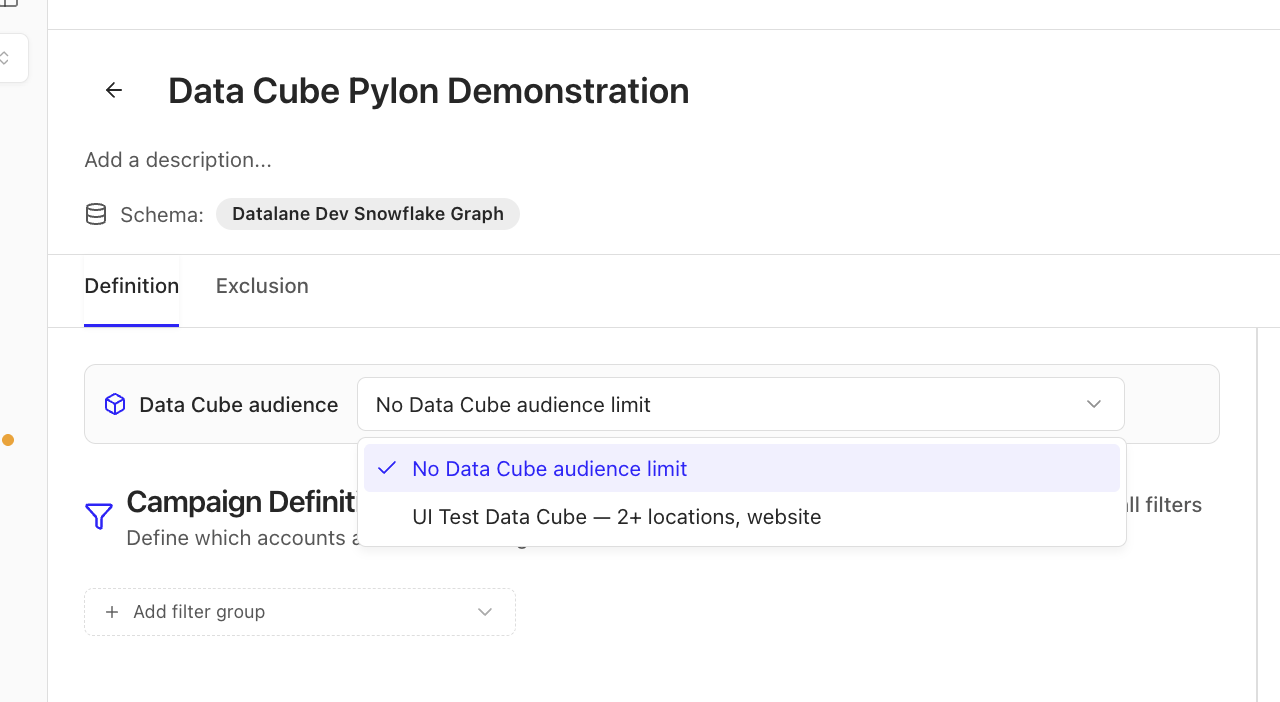
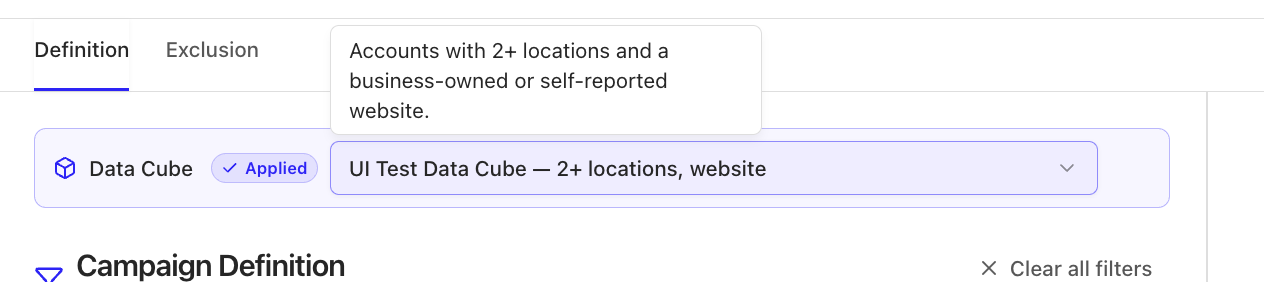
A selected Data Cube provides a base account set that DataLane is constantly enriching in batches. When a campaign has a selected Data Cube, that filter limits the accounts the campaign can select. Hover over the Data Cube to see a plain-language summary of what it includes.
2 Narrow the Data Cube with campaign filters
Confirm that the Data Cube is selected at the top of Campaign Definition.
Add campaign filters below it to create a narrower slice.
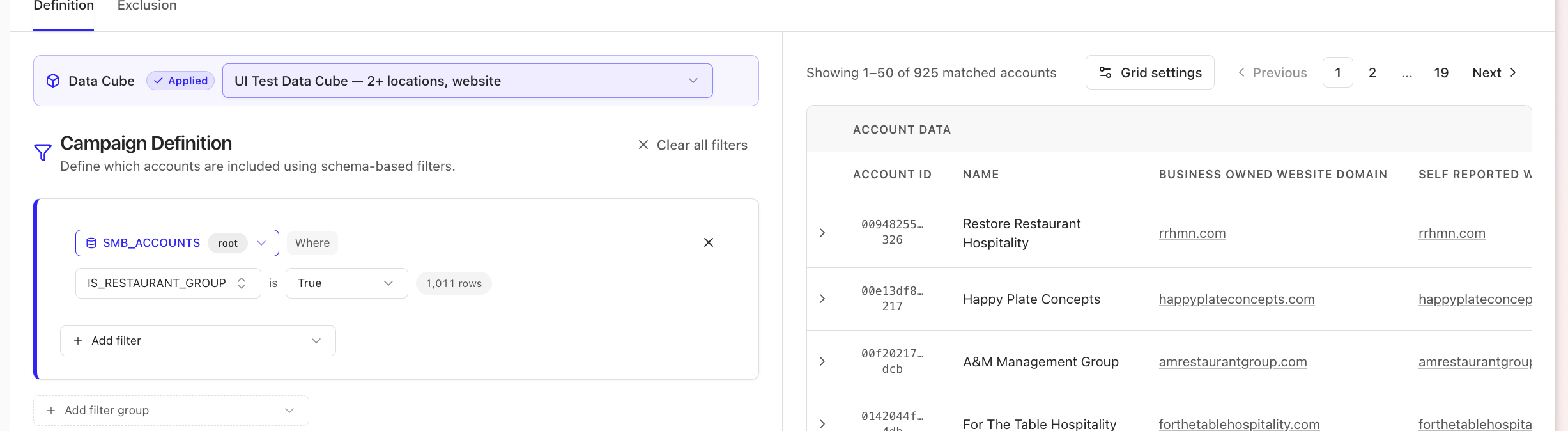
For example, if the Data Cube contains all qualified salon and spa accounts, you might further narrow the campaign to:
specific geographies;
specific business types; or
accounts with a particular attribute or custom-enrichment result.
3 Sync the selected accounts
Use the account grid to review the accounts selected by your campaign. The account total reflects all combined filters.
When you are ready to sync a campaign slice to your CRM:
Open Actions.
Choose Stage for Contact sync.
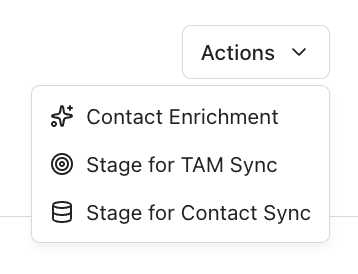
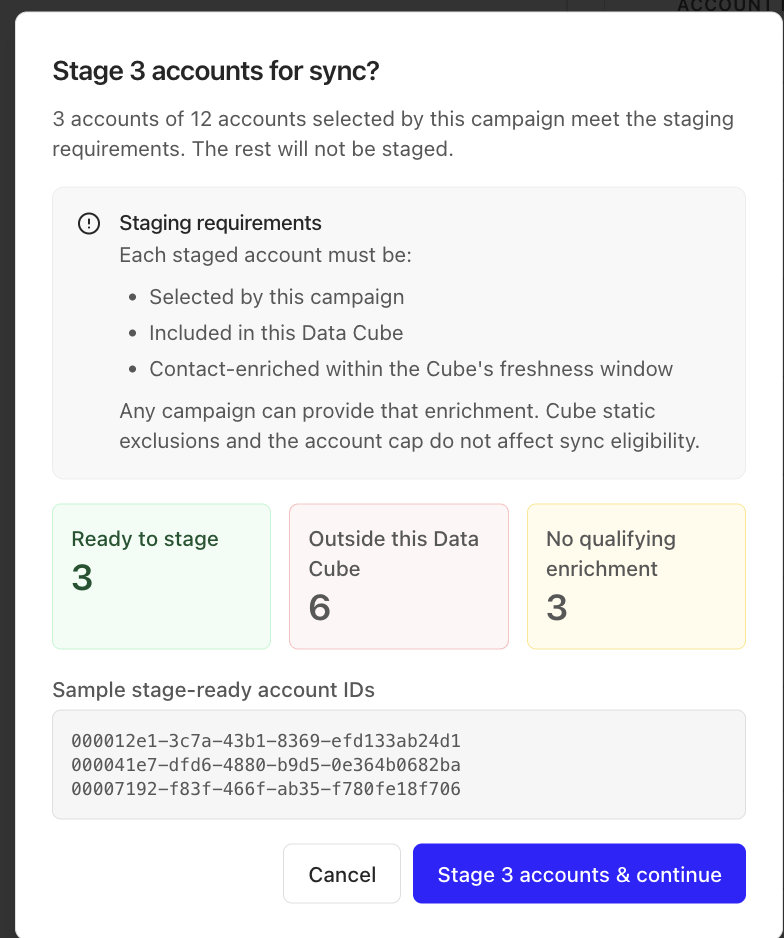
DataLane checks the campaign before staging and separates accounts into three groups:
Status | What it means |
Ready to sync | The account matches the selected Data Cube and has completed Data Cube enrichment. It can be staged for CRM sync. |
Not in Data Cube | The campaign selected the account, but it does not match the Data Cube. It will not be staged for this Contact sync. |
Not enriched yet | The account matches the Data Cube, but its Data Cube enrichment has not completed. It will not be staged yet. |
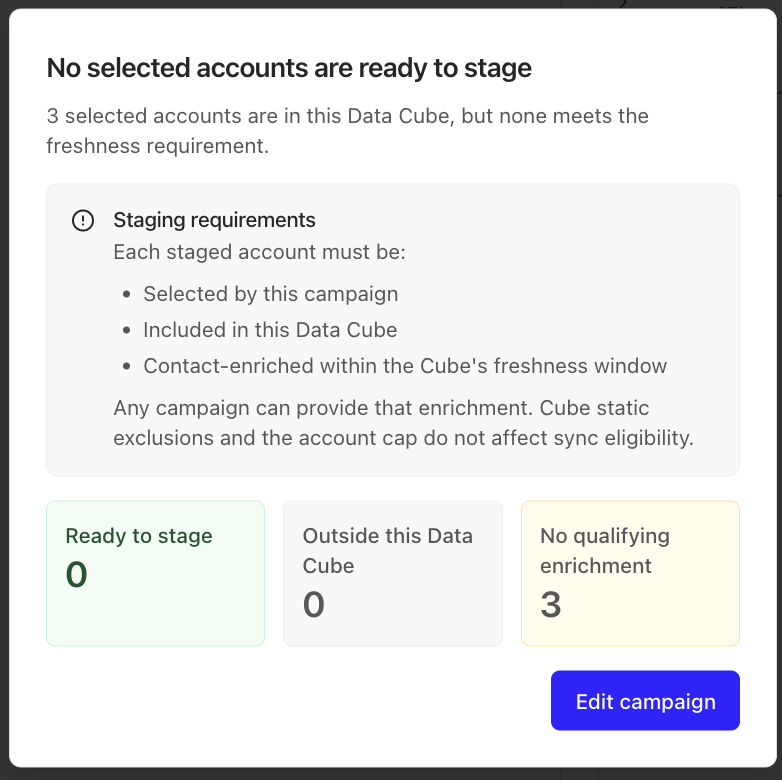
If no accounts are ready, DataLane won't progress to syncs.
4 Manually Enrich Data Cube Accounts
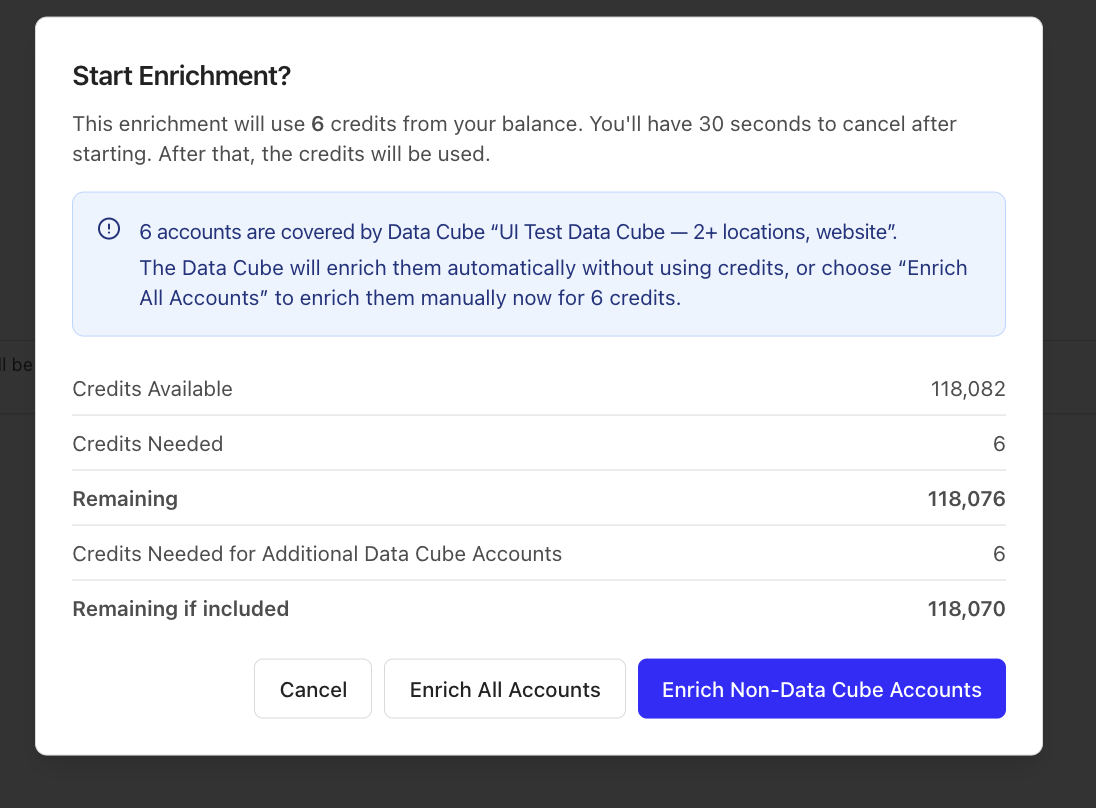
If you attempt to start normal contact enrichment including Data Cube accounts, DataLane checks the selected accounts before confirmation.
By default, accounts that belong to a Data Cube are skipped from normal contact enrichment to avoid duplicate enrichment.
If you need specific Data Cube accounts enriched immediately you can explicitly choose to include those accounts in the normal enrichment.
Need help?
Contact [email protected] with as much detail as possible!
Thanks for reading 😄